ReplyReviews · Social Media Post Scheduler

Schedule Google Business Profile & Social Posts. Rank higher locally.

ReplyReviews Post Scheduler lets local businesses and agencies schedule posts to Google Business Profile, Facebook, Instagram, Threads & YouTube from one dashboard — boosting local SEO with consistent, AI-timed content.

Start Scheduling FreeSee How It Works

Publish to all major platforms from one place

Google Business Profile
Facebook
Instagram
Threads
YouTube

Everything you need to dominate local search

From Google Business Profile post scheduling to multi-platform social media management — ReplyReviews has every tool local businesses need.

Multi-Platform

Unified Scheduling Calendar

View and manage all your scheduled posts across Google Business Profile, Facebook, Instagram, Threads & YouTube in one beautiful calendar. Perfect for local SEO consistency.

AI-Powered

AI Smart Timing

Our AI suggests the optimal time to publish your Google Business Profile and social posts based on audience activity, industry benchmarks, and past performance data.

Bulk Upload

Bulk Post Scheduling

Upload and schedule multiple posts at once across all platforms with one click. Ideal for agencies managing Google Business Profile posts for multiple local business clients.

Automation

Auto-Repost & Recycle

Automatically recycle your best-performing GBP and social posts or set recurring schedules for promotions, seasonal offers, and local events.

Local SEO Benefits

Post smarter. Rank higher in Google Maps.

Consistent Google Business Profile posting is one of the most effective local SEO strategies. ReplyReviews makes it automatic.

📅

Never Miss a GBP Post

Stay consistent on Google Business Profile — a key local SEO ranking signal. Schedule weeks ahead and never go silent.

100%
Posting Consistency
🌐

All Platforms, One Dashboard

Google Business Profile, Facebook, Instagram, Threads, YouTube — manage every channel from ReplyReviews without switching tabs.

5+
Platforms Supported

Best-Time AI Posting

ReplyReviews AI finds the highest-engagement window for each platform, boosting reach without extra effort.

+47%
Avg. Engagement Lift
📊

Cross-Platform Analytics

Track post performance across all channels in real time. See what drives foot traffic and conversions for local businesses.

Live
Real-Time Analytics

Schedule social posts in minutes, publish everywhere.

Four simple steps to schedule your Google Business Profile and social media posts with ReplyReviews.

  1. Create or Import Your Post

    Write a new post, generate with ReplyReviews AI, or import directly from the GBP Post Generator. Add images, CTAs, emoji, and offers.

    • AI Content Generator
    • Emoji & CTA Buttons
    • Google Business Profile Ready
  2. Select Your Platforms

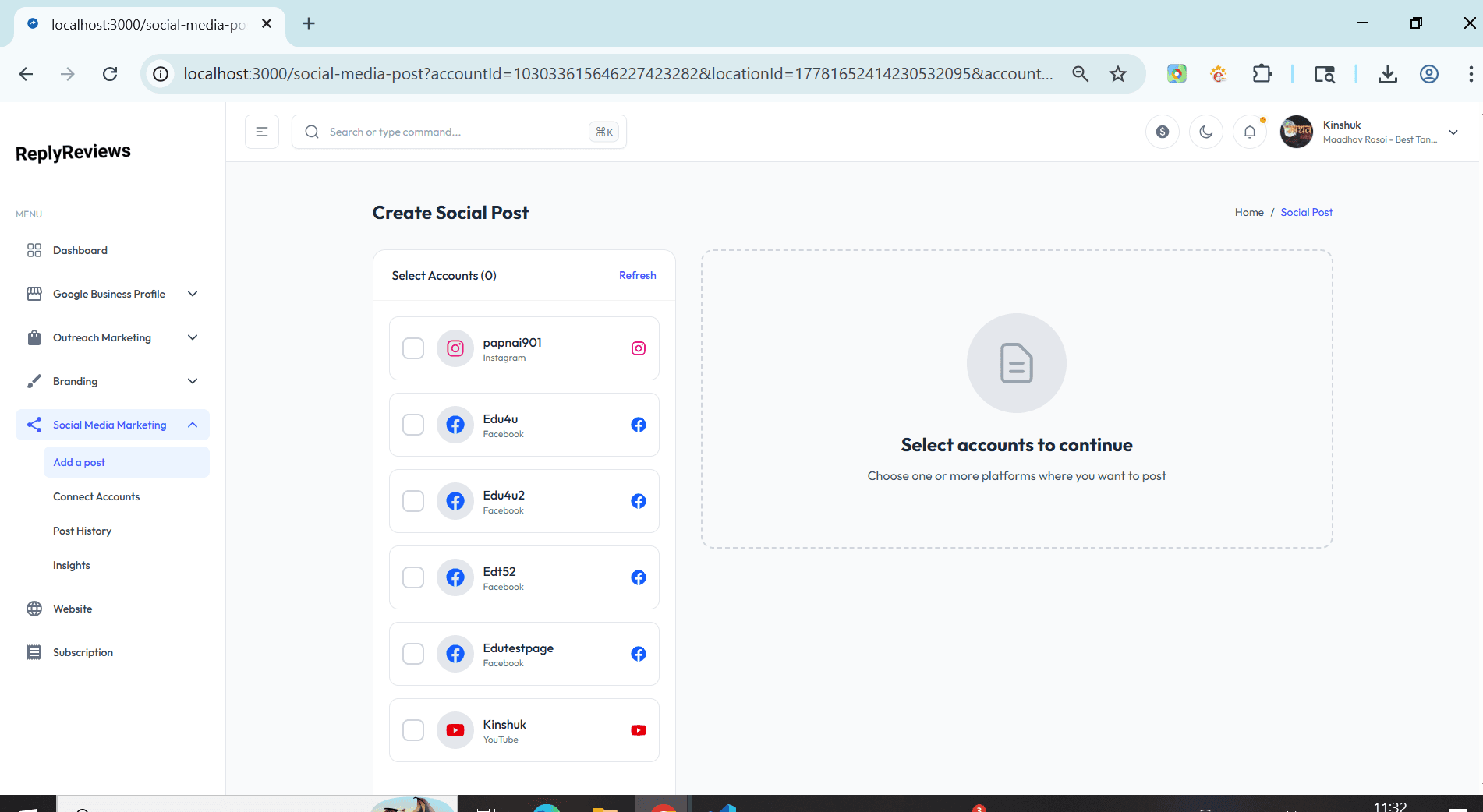
    Choose where your post goes — Google Business Profile, Facebook, Instagram, Threads, or YouTube. Each platform auto-adjusts formatting.

    • Multi-Platform Select
    • Live Format Preview
    • Character Count Alerts
  3. Choose Date & Time

    Pick an exact time or let ReplyReviews AI suggest the best posting window for maximum local reach and engagement.

    • Visual Calendar Picker
    • AI Best-Time Suggestions
    • Recurring Schedule Option
  4. Review, Preview & Schedule

    See exactly how your post looks on each platform before it goes live. Then schedule with one click — ReplyReviews handles the rest.

    • Cross-Platform Preview
    • Queue Management
    • Instant Publish Option
Powerful Dashboard

All-in-One Social Media & GBP Post Scheduler

replyreviews.com/post-scheduler
ReplyReviews Social Media Post Scheduler Dashboard — schedule Google Business Profile, Facebook, Instagram, Threads and YouTube posts from one unified calendar
FAQ

Frequently asked questions about ReplyReviews Post Scheduler

Everything you need to know about scheduling Google Business Profile and social media posts with ReplyReviews.

ReplyReviews Post Scheduler is a multi-platform social media scheduling tool built for local businesses and agencies. It lets you schedule and publish posts to Google Business Profile (GBP), Facebook, Instagram, Threads, and YouTube from a single dashboard — saving hours each week while boosting local SEO.

Yes. ReplyReviews has native Google Business Profile post scheduling. You can create What's New, Event, Offer, and Product posts and schedule them days or weeks in advance. Regular GBP posting is a proven local SEO ranking factor, and ReplyReviews makes it effortless.

Consistent posting on Google Business Profile signals to Google that your business is active, which can positively influence your local pack rankings. ReplyReviews ensures you never miss a week by keeping your GBP post queue filled automatically.

ReplyReviews currently supports Google Business Profile, Facebook Pages, Instagram Business, Threads, and YouTube. More platforms are added regularly. All five can be managed from a single unified calendar.

Yes. ReplyReviews AI analyzes your audience activity, industry trends, and historical post performance to recommend the best day and time to publish each post for maximum reach and engagement.

Absolutely. ReplyReviews is designed with agencies and multi-location businesses in mind. You can manage GBP posts, social content, and scheduling for dozens of client locations from one account with team collaboration features.

Yes. ReplyReviews supports bulk post upload and scheduling. You can import a CSV of posts with dates, captions, and media, and the scheduler will distribute them across platforms automatically.

Most social media schedulers ignore Google Business Profile. ReplyReviews was purpose-built for local SEO, combining GBP post scheduling, review management, and social media scheduling in one platform — making it the go-to tool for local businesses and agencies focused on ranking higher in Google Maps.

Start scheduling smarter with ReplyReviews

Join thousands of local businesses and agencies using ReplyReviews to schedule Google Business Profile posts, boost local SEO, and manage all their social media from one place.

Get Started Free — No Credit Card

Free trial · No credit card required · Cancel any time